
Claude Code authentication
The built-in @coro-ai/llm-anthropic executor reads auth from plugins.installed.anthropic.config, which you configure in the dashboard—not by hand-editing secrets into markdown.
Dashboard setup (recommended)
- Open Settings → Setup → LLM provider.
- In the Anthropic panel, choose an auth method and complete the flow.
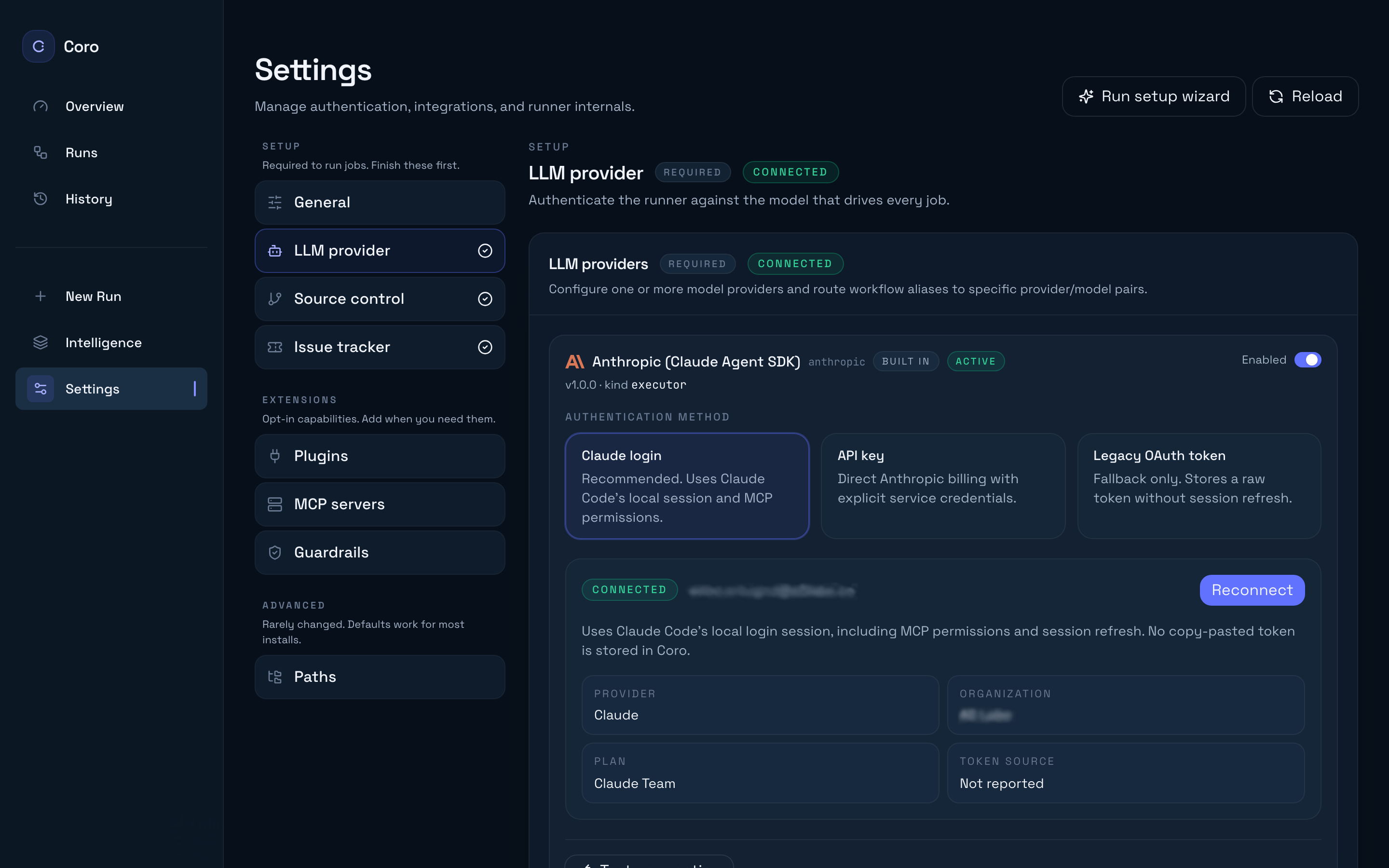
| Method in UI | method value | Best for … |
|---|---|---|
| Claude login | claudeLogin | Recommended for laptops — Claude Code persists an interactive OAuth-style session locally; click Connect with Claude and follow the browser prompt. |
| API key | apiKey | CI bots or regulated environments where unattended keys are audited centrally. |
| Legacy OAuth token | oauth | Migration from claude setup-token only — avoid for net-new setups. |
Click Save all changes, then Test connection before starting a run.
Why Claude login wins for humans
- No shared secrets in plaintext chat logs — each developer authenticates individually.
- Automatic refresh aligns with Claude Code lifecycle instead of brittle copy/paste PAT rotation.
- Org policy alignment lets enterprise bans on key-based access stick while Coro stays usable.
API key deployments
When automation forbids OAuth devices:
- Provision a restricted Anthropic (or routed Bedrock/GCP) credential per sandbox.
- Enter it under Settings → LLM provider → API key (or inject via your install automation into
plugins.installed.anthropic.config). - Lock down
~/.coro/config.jsonpermissions on shared jump boxes — Settings → Advanced → Paths shows the config file location.
Combine with budget alerts downstream because keys frequently lack per-seat usage visibility.
Switching modes safely
Flipping auth method mid-flight does not cancel active jobs — finish runs, then restart coro start after saving if auth pivots behave unexpectedly (/guides/hybrid-mode/ team runners).
Related reading
- /getting-started/providers/ — full Settings walkthrough.
- /guides/configure-guardrails/ — automation still respects merge & diff guardrails irrespective of auth path.
- /reference/configuration/ —
plugins.installed.anthropicandllm.*keys.