
Configure providers
Coro is plugin-first. You register executor, SCM, and tracker backends in the dashboard Settings screen. The runner resolves the active plugin set per tenant and attaches it to each job—nothing sensitive belongs in markdown intelligence files.
Open Settings from the sidebar once the dashboard is running (launch the desktop app or run coro start for a CLI install). Sections are grouped into Setup (required to run jobs), Extensions (optional), and Advanced (rarely changed).
Large language models
Settings → Setup → LLM provider
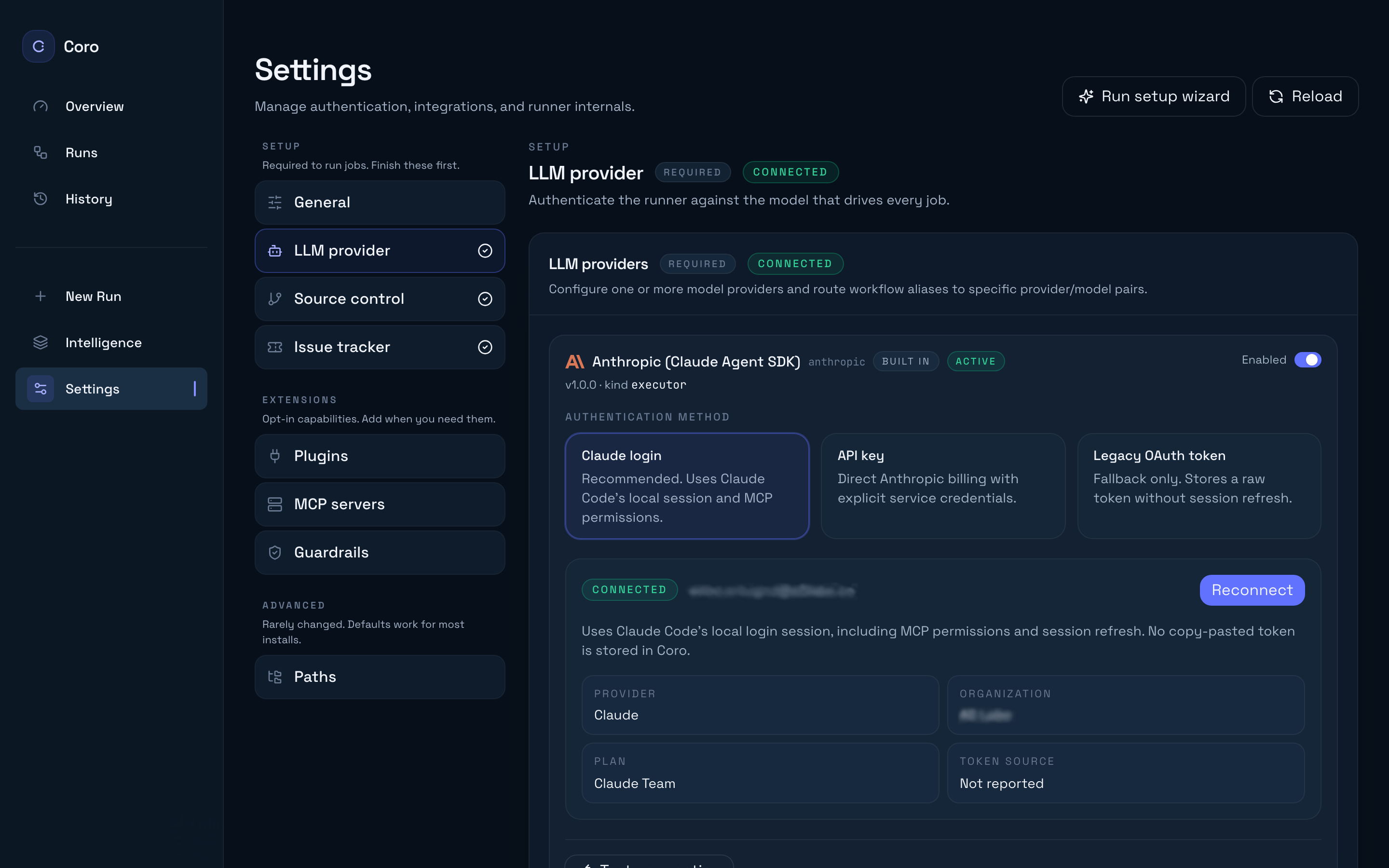
Configure how workflow phases reach a model:
- Claude login (recommended) — OAuth-style login through Claude Code; use Connect with Claude in the Anthropic panel.
- API key — Direct Anthropic API calls for CI or regulated environments.
- Legacy OAuth token — Migration path only; prefer Claude login for new installs.
- OpenAI — Enable and configure when your tenant uses OpenAI-backed executors.
- Model aliases — Map workflow phases (planning, coding, …) to provider + model combinations on the same page.
Use Test connection after saving credentials. If a job fails immediately with auth errors, revisit this section before debugging repository access.
See also Claude Code authentication.
Source control (SCM)
Settings → Setup → Source control
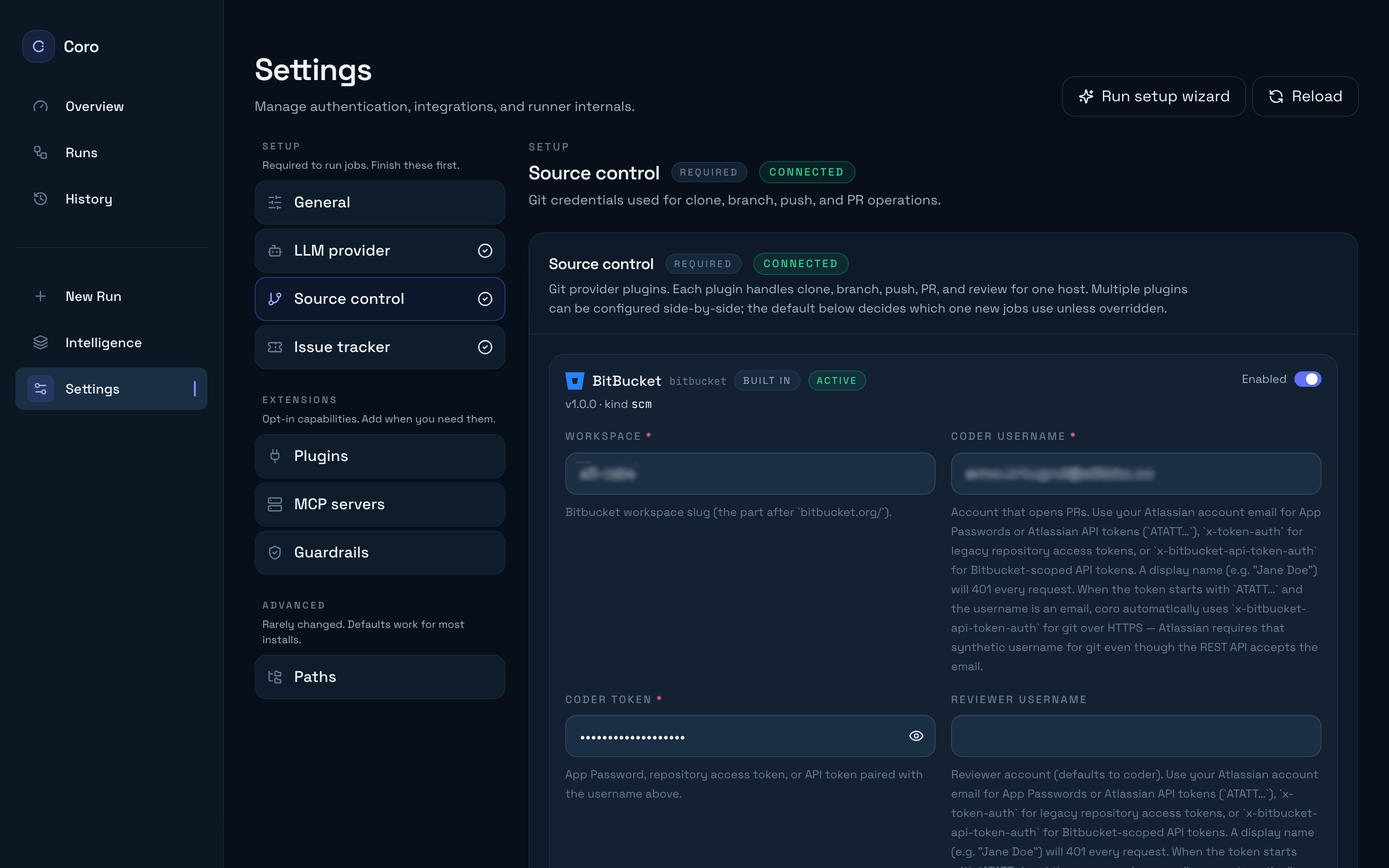
SCM plugins implement a shared contract (scm_* tools) so agents stay provider-agnostic. Enable and configure one or more of:
- GitHub
- GitLab
- Bitbucket
Each plugin needs credentials with rights to clone, push branches, open or update pull requests, and receive events (webhooks in team mode, or polling where applicable in solo). Use Test connection to verify credentials before your first run.
When multiple SCM plugins are configured, put the repository identifier on the Run card — Coro uses the plugin that hosts that repo.
Trackers (optional)
Settings → Setup → Issue tracker
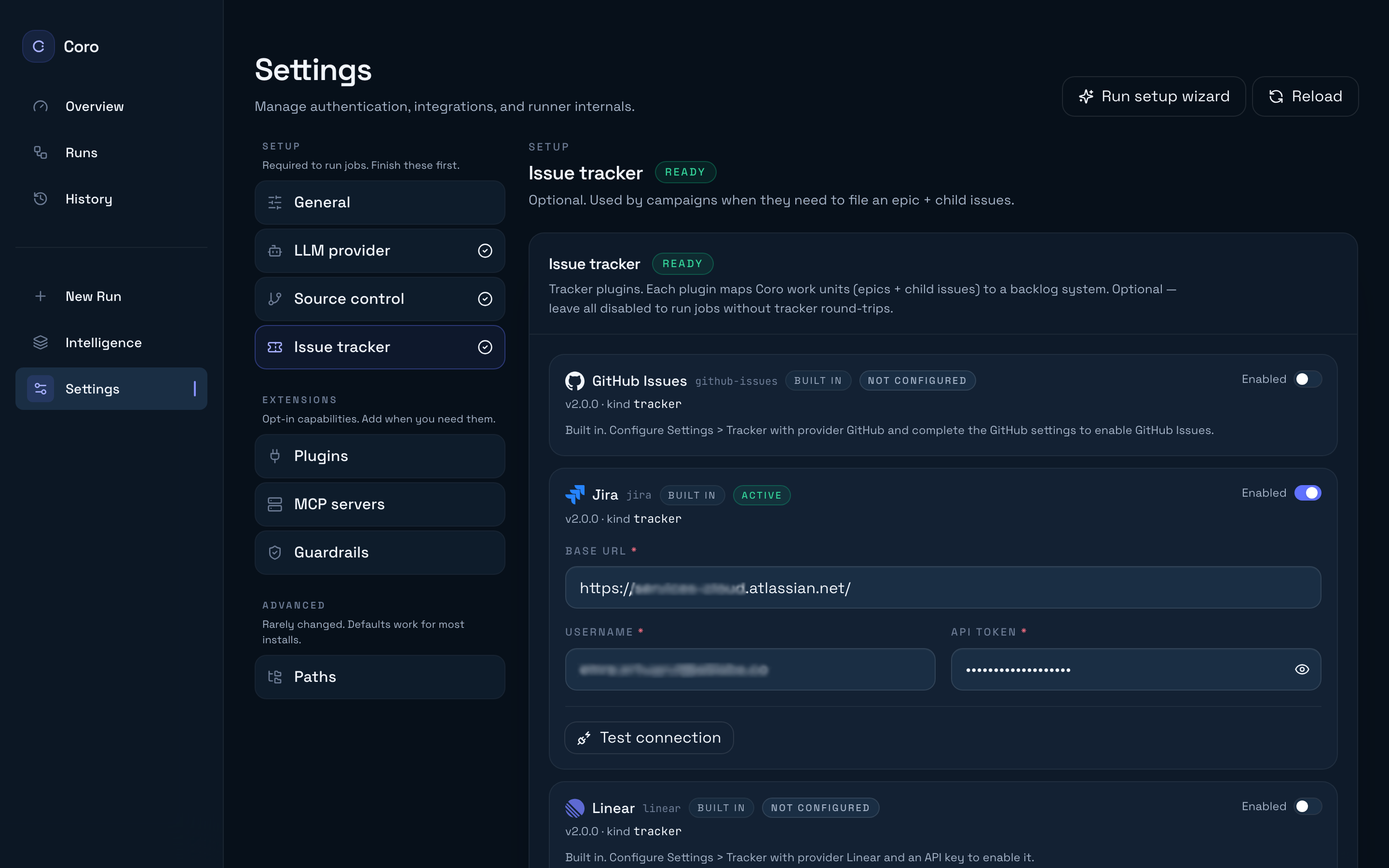
Trackers let Coro read tickets, post comments, and (for campaigns) manage child issues:
- Jira
- Linear
- GitHub Issues
Trackers are optional for runs you start from New run. They become load-bearing when you drive work from ticket assignment or use Spec Writer with structured acceptance criteria.
Plugins (extensions)
Settings → Extensions → Plugins
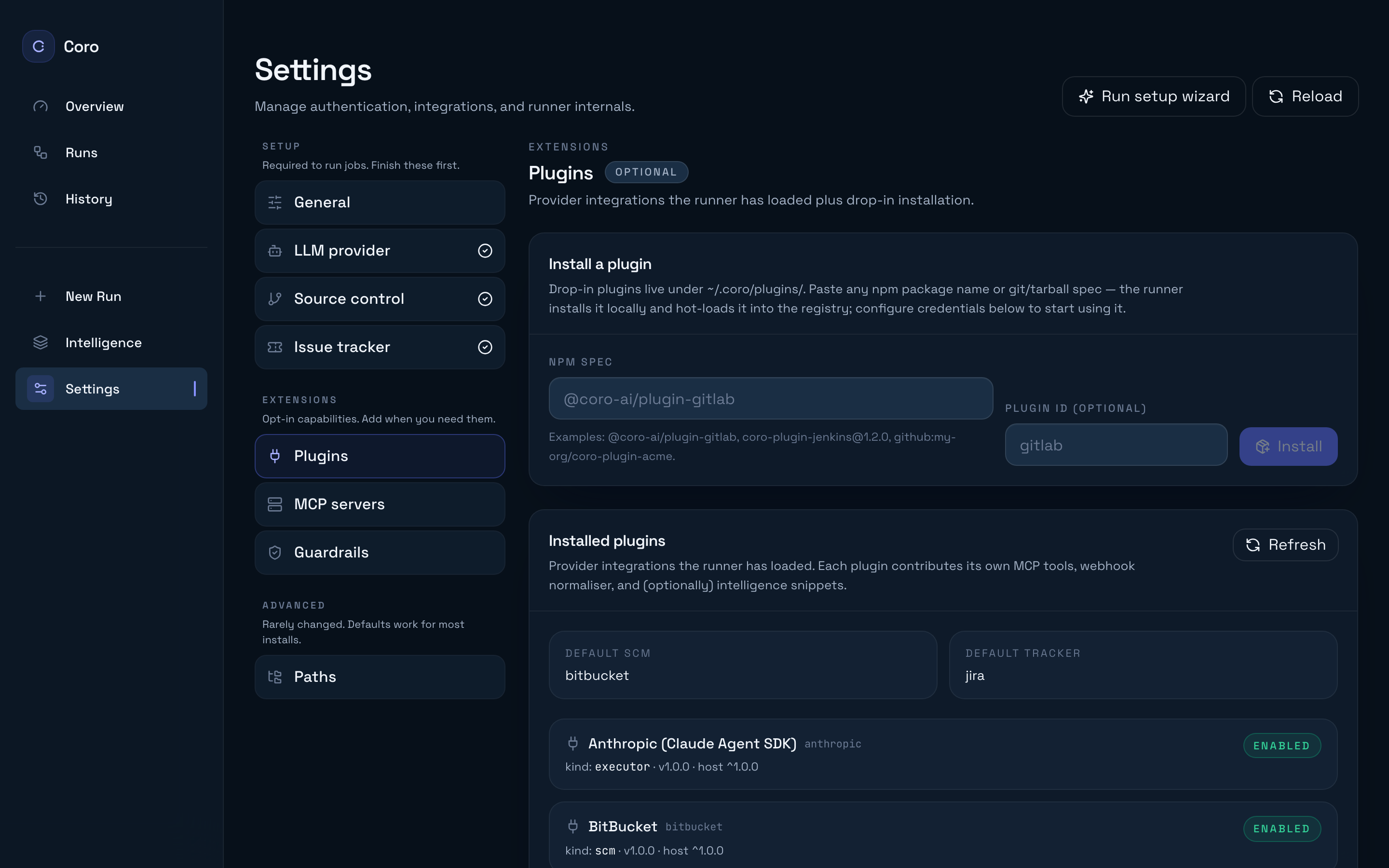
Install drop-in SCM, tracker, or executor plugins beyond the built-ins. The page also shows which plugins are enabled, configured, and active, plus the webhook base URL your team should register in hybrid deployments.
Guardrails, MCP, and paths
These live under Extensions and Advanced—not under Setup—but you configure them the same way:
| Section | Guide |
|---|---|
| Settings → Extensions → Guardrails | /guides/configure-guardrails/ |
| Settings → Extensions → Overseer | /guides/overseer/ |
| Settings → Extensions → MCP servers | /guides/byo-mcp/ |
| Settings → Advanced → Paths | /guides/tenant-overlay/ (intelligence Git remote) |
Advanced: editing config.json directly
The dashboard is the supported path for day-to-day changes. Settings → Advanced → Paths reveals the on-disk config path if you need to inspect or version-control settings outside the UI.
Fields without a dedicated dashboard control today include:
tenant.overlaywithkind: localDir— point at a local intelligence checkout while iterating (use Intelligence git remote in Paths for the commongitRemotecase).cloud.url/cloud.token— hybrid team pairing viacoro login(/guides/hybrid-mode/).
For the full key reference, see Configuration.
When providers are green, continue with Your first job or explore Extending Coro if you are building a custom plugin.