
Dashboard tour
The bundled dashboard is the control surface for solo developers and the day-to-day operator view in team deployments. Launch the desktop app or run coro start (CLI install), then open http://localhost:3000/dashboard/. Home is New run — a composer with Recents on the left.
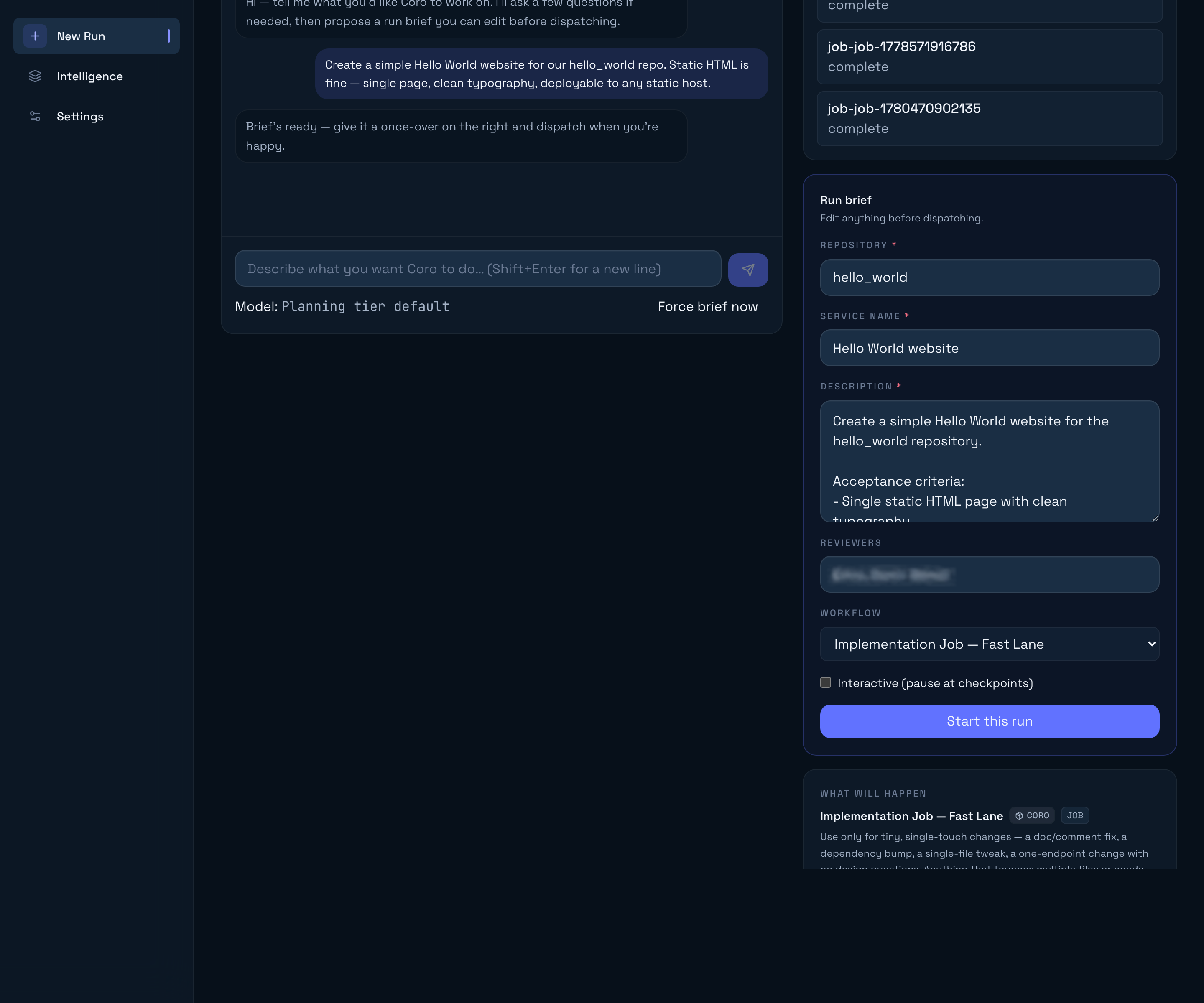
New run (home)
New run (/dashboard/) is where work starts. It creates the same Job as coro job. See Your first job and Coro plan mode.
- Recents (left rail; a dialog on small screens): conversations on this runner. Opening one does not reorder the list. A conversation that already started a run shows that run’s live status (Needs you, Coding, Done, …).
- Transcript: your messages, Coro’s reasoning and findings as they stream, stacked activity chips when similar lookups run, a Findings card, and an inline Run card once the work is clear.
- Readiness line: above the composer — Investigating, Ready to start, or No run needed.
- Run card: Start run (or View run after it is going). Expand it to edit repository, description, reviewers, workflow, and interactive checkpoints.
- New conversation keeps the current one in Recents and clears the composer.
- Open-run tabs (top strip): jobs you have opened. Home is not a tab. Closing the last tab returns here.
Runs list
Runs is the inventory of every job — the queue, not the composer. Open it from the sidebar after a run exists. Each row surfaces status, repository, current phase, and cost. Filter by Active, Waiting, Finished, or All; Finished can narrow by outcome (Done, Cancelled, Failed, Needs escalation). Campaigns nest their sub-runs in the same table.
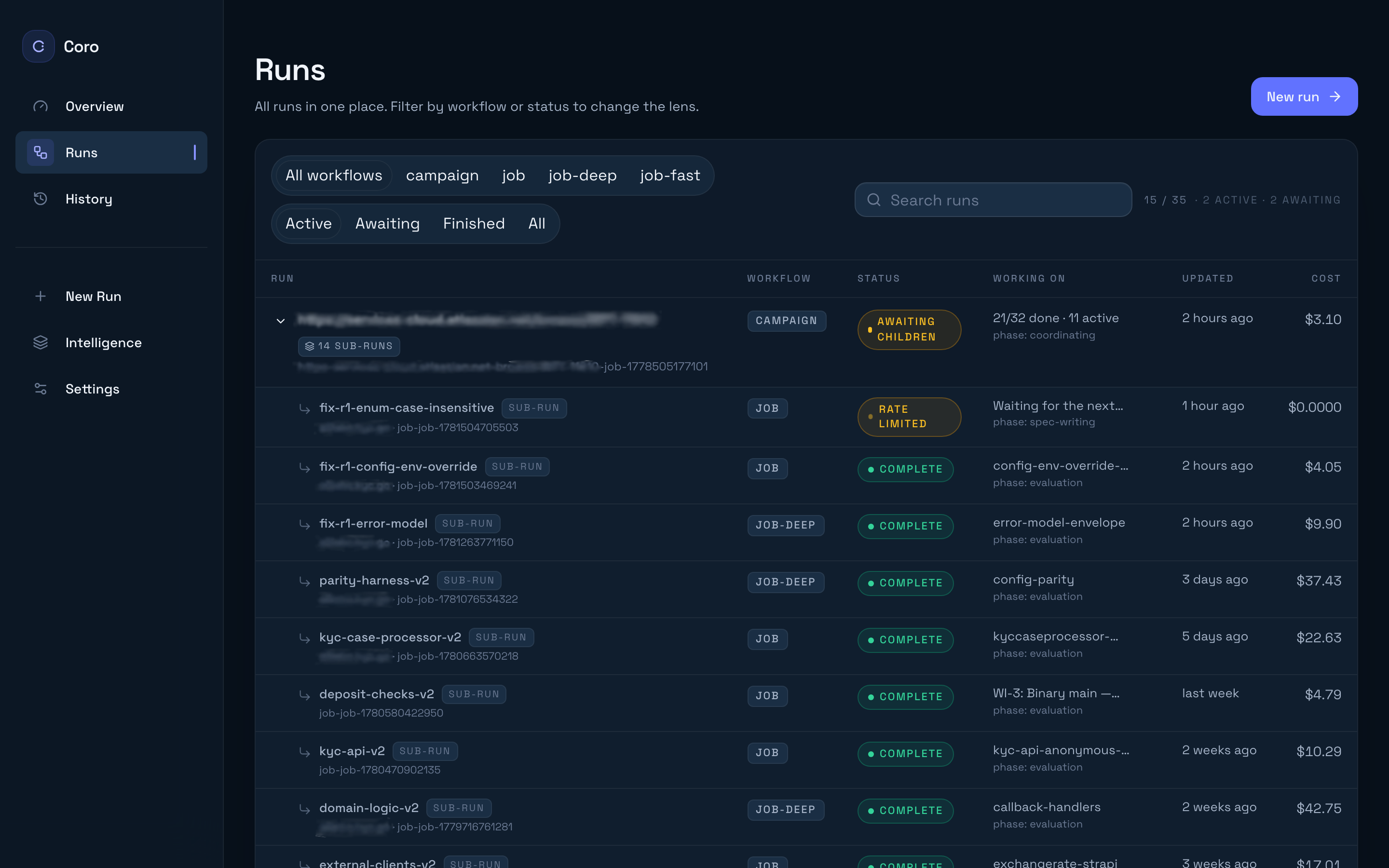
Status uses the same labels as Recents and the tab bar: Needs you, Waiting on PR, Waiting on sub-runs, Slowed, Paused, Done, and the current phase while it is working.
Run detail
Click a run to open its detail page. Typical sections include:
- Phase timeline — Where the job is in spec-writing, planning, coding, review, evaluation, or a parked state. Each phase node can show model/provider usage and posted artefacts.
- On track — When Overseer is on, a pill beside the status (On track, Needs a look, or Off track) with the chance the work still serves the goal. Open it for the short readout.
- Logs — Streaming harness output and agent tool traffic (complements
coro logsin the terminal). - Artefacts — Per-phase outputs registered via
post_artifact(plans, specs, PR links, evaluation reports). Markdown kinds such asspec-md,plan-md, andimplementation-plan-mdopen in a rendered modal. - Work items — Planner-authored breakdown; the merge gatekeeper advances these in order.
- Cost / usage — Aggregate signal for token spend (exact metrics depend on executor and tenant telemetry settings).
- Pull requests — Links back to your SCM; this is the human review surface the PR Reviewer coordinates.
Interactive jobs may show checkpoints where the harness waits for approval—those appear inline with phase state. The approval panel lets you continue, message the agent, or rerun a phase when supported.
Intelligence
The Intelligence area visualises how layers compose—base @coro-ai/intelligence-base, tenant overlay, and per-repo .coro/ additions. Use it when you wonder which markdown file wins after merges. The mental model is documented in Intelligence layers.
Tenant overlay wiring (Git remote, local intelligence directory) is configured under Settings → Advanced → Paths, not on this page.
Retrospective
Retrospective is a cross-job analysis workflow, not a history of conversations. Start a run from this page when you want Coro to read past jobs and propose intelligence or runner improvements. Finished jobs still live under Runs → Finished.
Settings
Settings is where you configure authentication, integrations, guardrails, and runner paths. Everything here persists to ~/.coro/config.json when you click Save all changes—you do not need to edit that file by hand for normal operation.
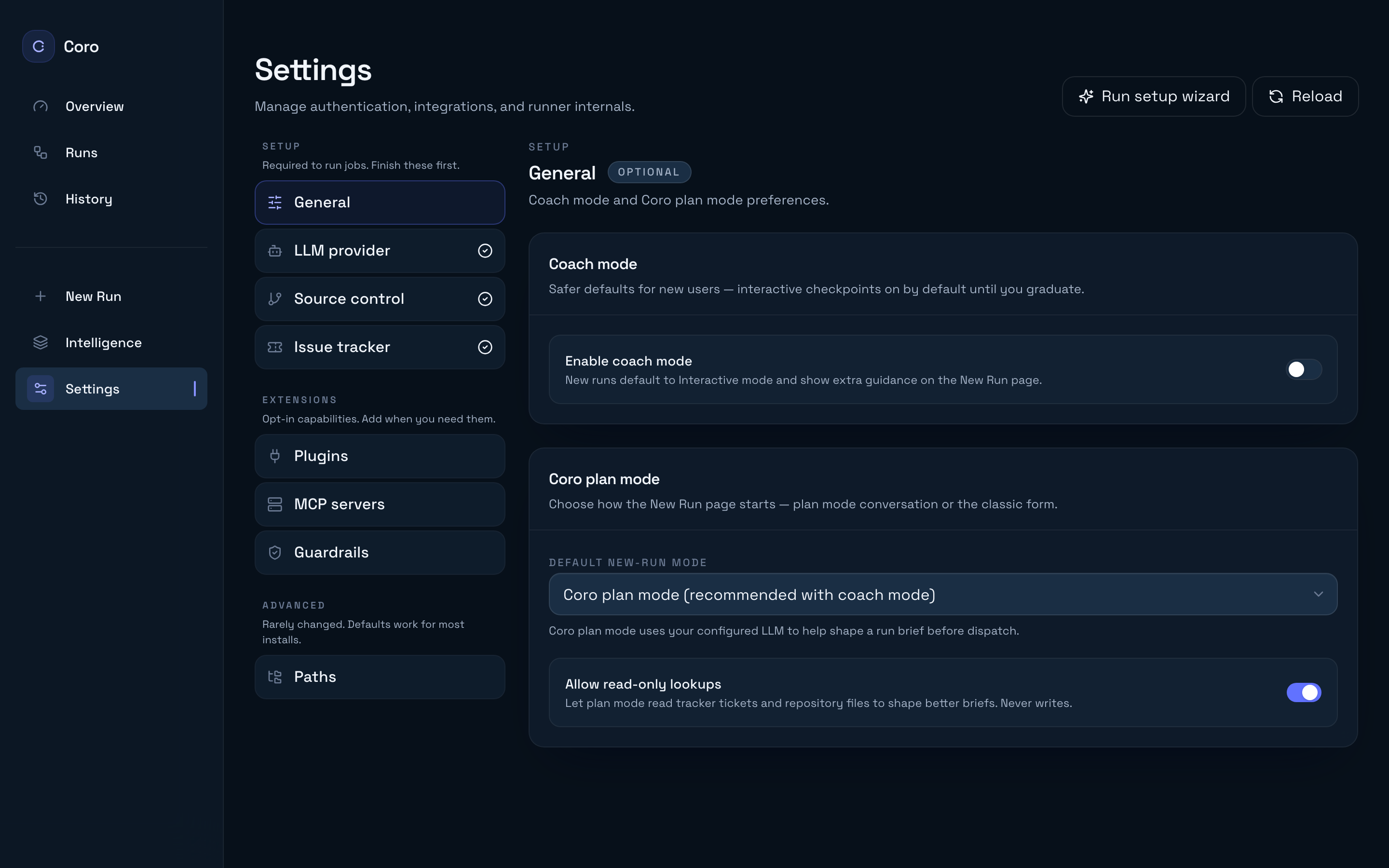
Sections are grouped into three buckets:
General
| Section | Purpose |
|---|---|
| Coach mode | Safer defaults for new users — interactive checkpoints on by default until you graduate (default after five dispatches) |
| Plan mode | Conversational New Run: read-only lookups while planning, plus the session-only model picker |
Setup (required to run jobs)
| Section | Purpose |
|---|---|
| LLM provider | Claude login, API keys, OpenAI, phase model aliases |
| Source control | GitHub, GitLab, Bitbucket credentials and test connection |
| Issue tracker | Optional Jira, Linear, or GitHub Issues |
See Configure providers for detail on each Setup section.
Extensions (optional)
| Section | Purpose |
|---|---|
| Plugins | Install and manage drop-in integrations |
| MCP servers | Bring-your-own MCP JSON + inherit Claude Code MCPs |
| Guardrails | PR description, diff size, merge approval, proposal policies |
| Overseer | Optional. Jev rates whether a job stays faithful to what you asked. Observe records it; Manage can pause an interactive job |
Advanced (rarely changed)
| Section | Purpose |
|---|---|
| Paths | Intelligence directory, intelligence git remote (tenant overlay), working directory, config path reveal |
Use Run setup wizard in the Settings header to replay first-time setup. Reload pulls the latest config from disk if you changed it externally.
See Coro plan mode for readiness, session cost, and troubleshooting.
Name a tracker ticket in the conversation (for example PROJ-123) and Coro reads it with tracker_get_issue, then folds the ticket into the run description. There is no separate ticket form.
Cross-check Your first job, Coro plan mode, and Configure providers if a run stalls during provider resolution.